
首先搭建beanstalk 服务 本博主用docker的方式搭建了 服务
然后开始编码 先找到 beanstalk服务sdk 本例中用了 https://github.com/davidpersson/beanstalk
<?php
require('./BeanStalk.class.php');

use Beanstalk\Client;

/**
 * Created by PhpStorm.
 * User: tom
 * Date: 2017/6/2
 * Time: 22:43
 */

$db=array('persistent' => true, 'host' => '123.56.23.105', 'port' => 11300, 'timeout' => 1,'logger' =>"") ;
$beanstalk = new Client($db); // For connection options see the
// class documentation.

$beanstalk->connect();
$beanstalk->useTube('abc'); // Begin to use tube `'flux'`.
$beanstalk->put(
    23, // Give the job a priority of 23.
    5,  // Do not wait to put job into the ready queue.
    5, // Give the job 1 minute to run.
    json_encode(array("action"=>"create","info"=>"niefengjun.cn")) // The job's body.
);

$beanstalk->disconnect();
至此 提交
接下来开始监听服务
<?php
require('./BeanStalk.class.php');

use Beanstalk\Client;

//
// A sample producer.
//

$db=array('persistent' => true, 'host' => '123.56.23.105', 'port' => 11300, 'timeout' => 1,'logger' => null) ;


$beanstalk = new Client($db);

$beanstalk->connect();
$beanstalk->watch('abc');
$abc='' ;
$myfile = fopen("newfile.txt", "w") or die("Unable to open file!");
while (true) {
    $job = $beanstalk->reserve(); // Block until job is available.


    if($job) {
        $txt = json_encode($job);
        fwrite($myfile, $txt);

    }
}
// When exiting i.e. on critical error conditions
// you may also want to disconnect the consumer.
 $beanstalk->disconnect();

?>
为了判断是否监听成功 将监听的文件写文件
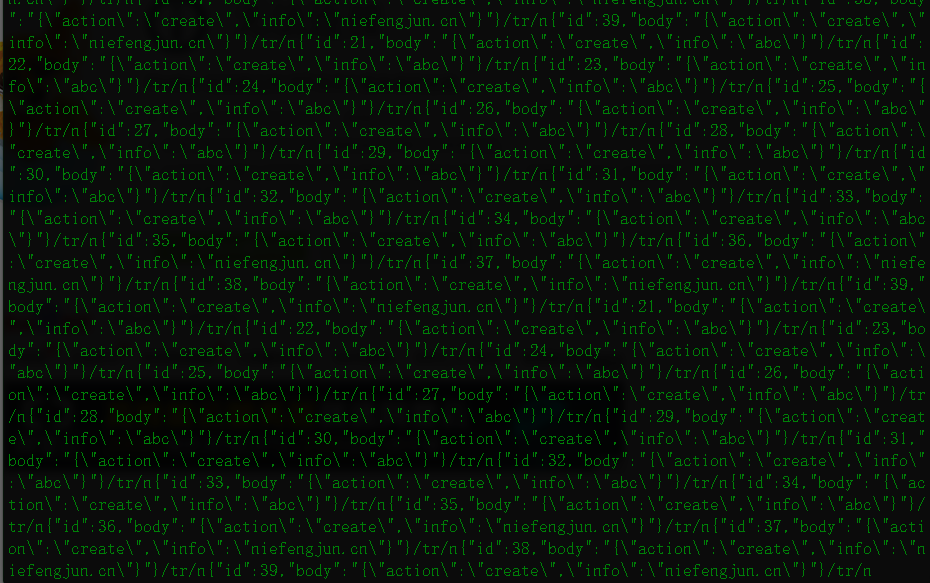
由此证明监听成功 然后就可以开始写相关业务了